

Notice
What everyone needs to know
The annual conference, an index adjustment or the day new rules take effect. The date appears in the team calendar without anybody sending an invitation to everyone or cluttering everyone's own calendar.
Team calendar
Bring the team's recurring work and the dates everyone needs to know into one shared calendar – without filling everyone's personal calendar. Every commitment has an owner, a status and a history.
30 days free · Introductory price until year-end · Watch-only members always free
What belongs in the team calendar
The team calendar holds both what everyone needs to know and what somebody has to do. Everything is visible to the whole team, but only tasks are signed off when they are done.
The annual conference, an index adjustment or the day new rules take effect. The date appears in the team calendar without anybody sending an invitation to everyone or cluttering everyone's own calendar.
The month-end close, the access review and the VAT return. Every occurrence has an owner, a reminder and a status that shows whether it got done.
And the meetings?You book them as usual in Outlook, Google Calendar or Apple Calendar.How the two fit together
Responsibility that lasts
Every commitment has an owner, and a deputy can take over during an absence. Reminders, status and history follow the work, not the person.
The owner is reminded in good time, not when it is already too late.
When the owner is away, the deputy takes over. The responsibility and the history stay in place.
Anything past its due date turns red in the calendar and the list, and the right people are told.
Alongside your usual calendar
Keep handling meetings, attendees and rooms in Outlook, Google Calendar or Apple Calendar. Kalends keeps track of what must be done, why and by whom – even when the meeting moves or the people change.
Would you rather see Kalends in your own calendar? Subscribe to a read-only calendar with the parts you choose.
Same work, several views
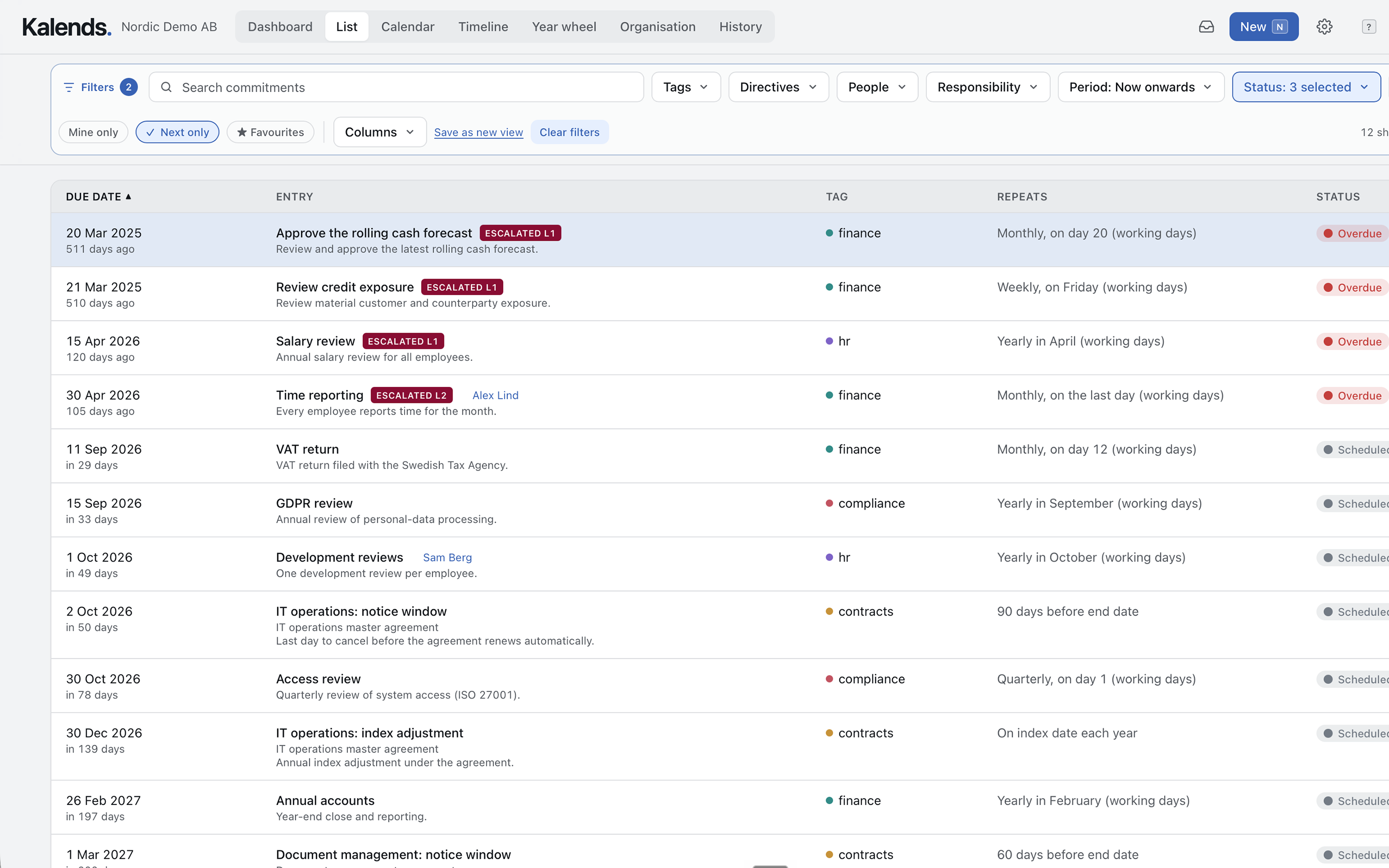
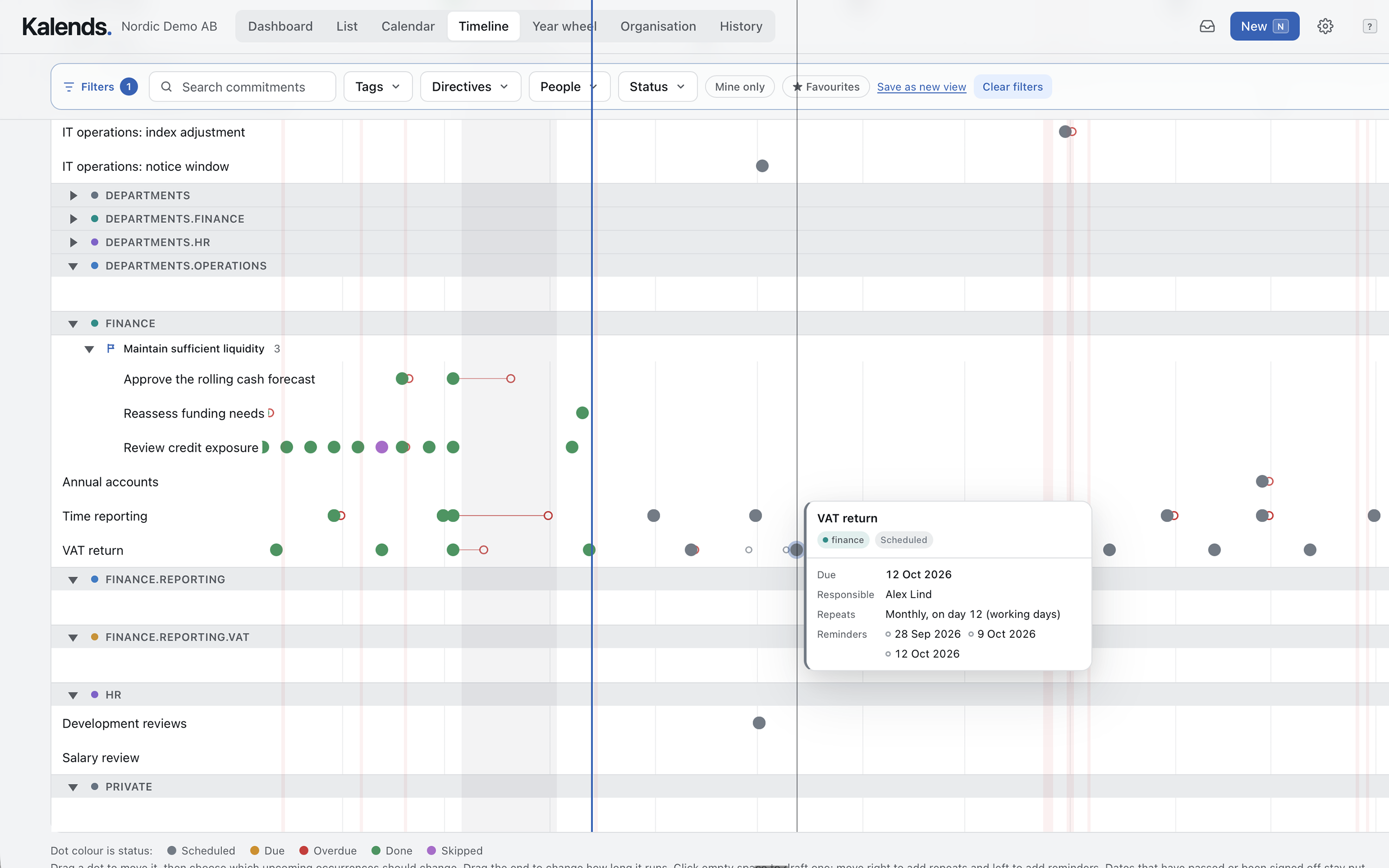
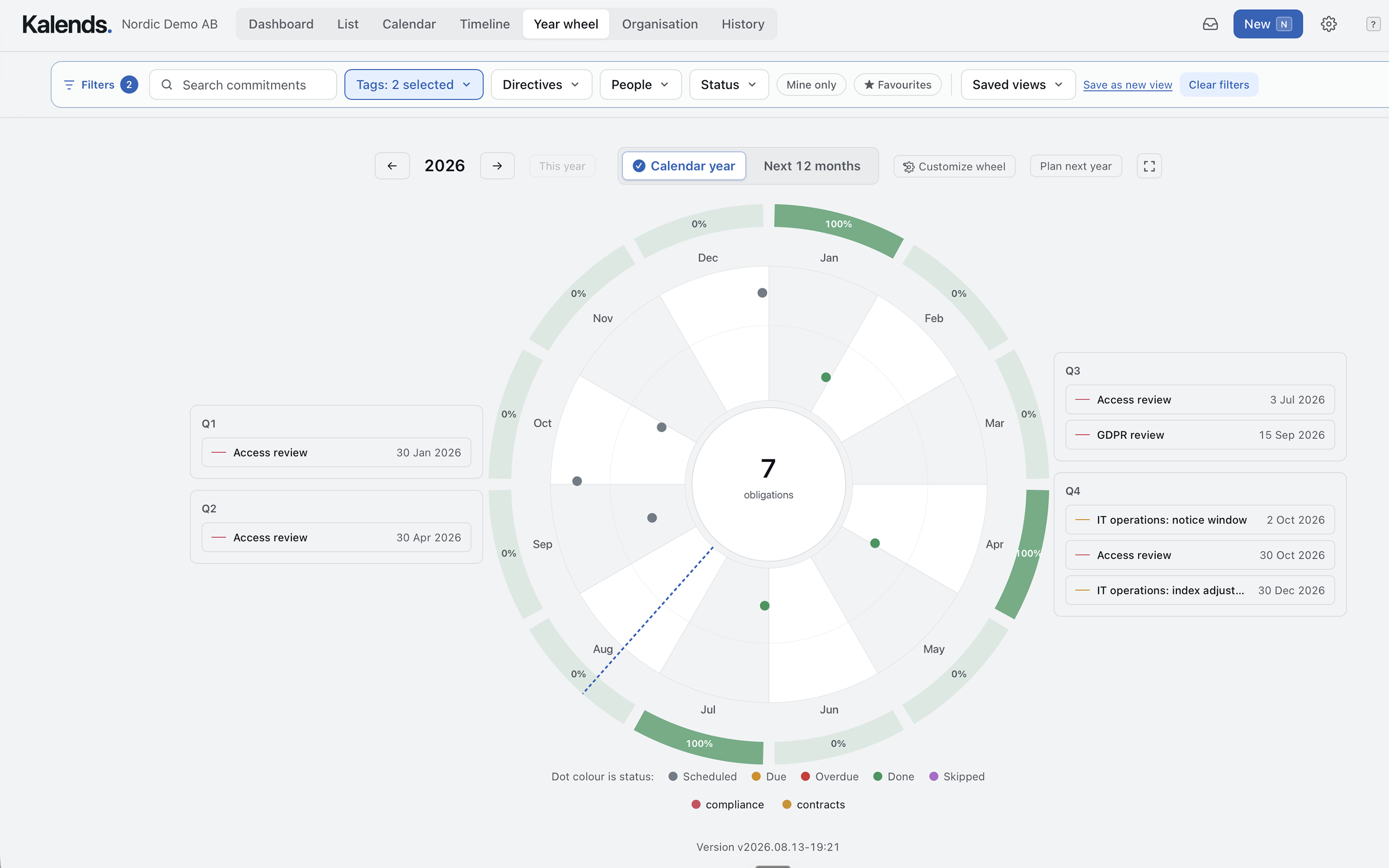
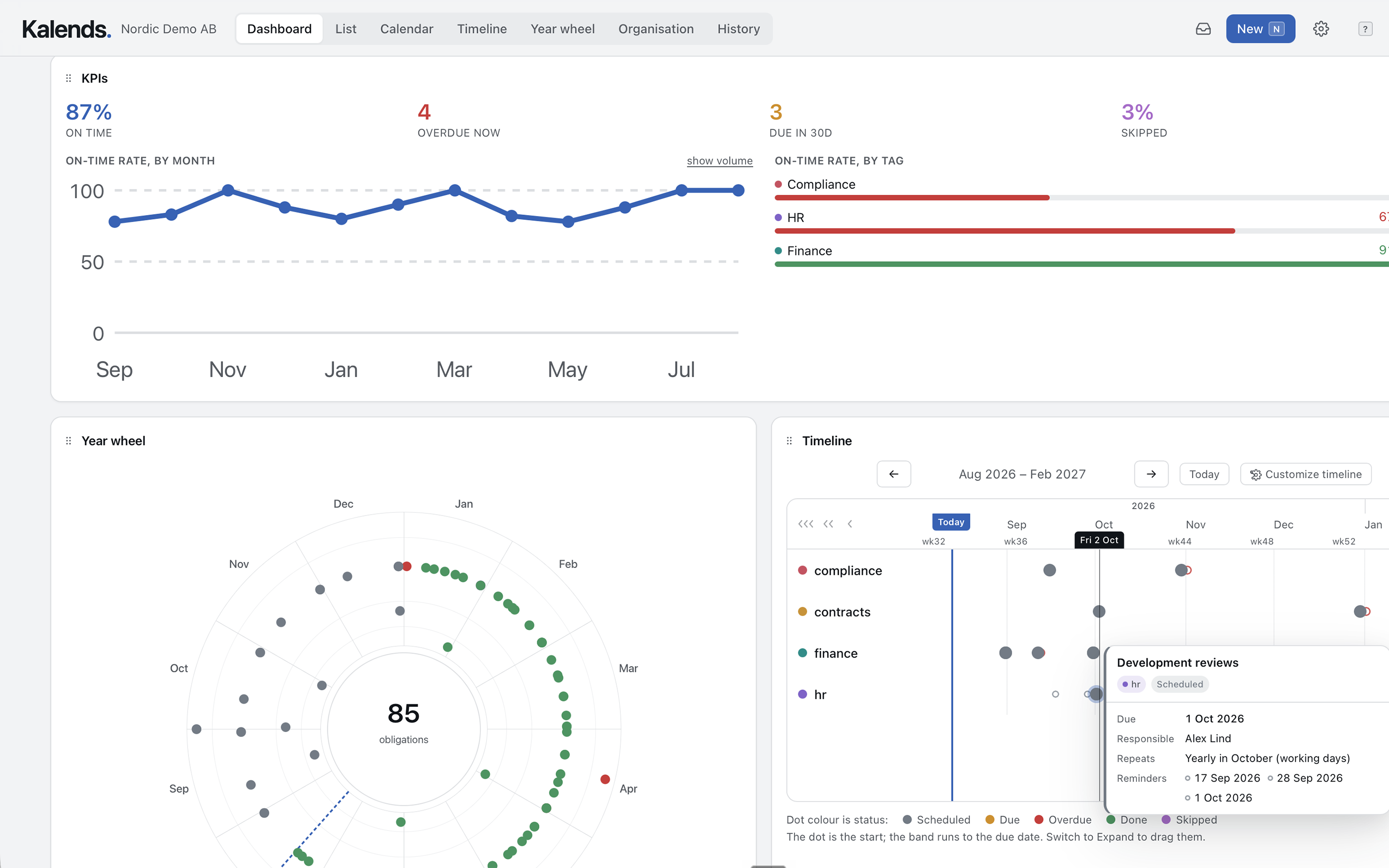
Switch between day, week, month and year, or open the same work as a list, timeline, year wheel and dashboard. Save filtered views for each team, person or area.
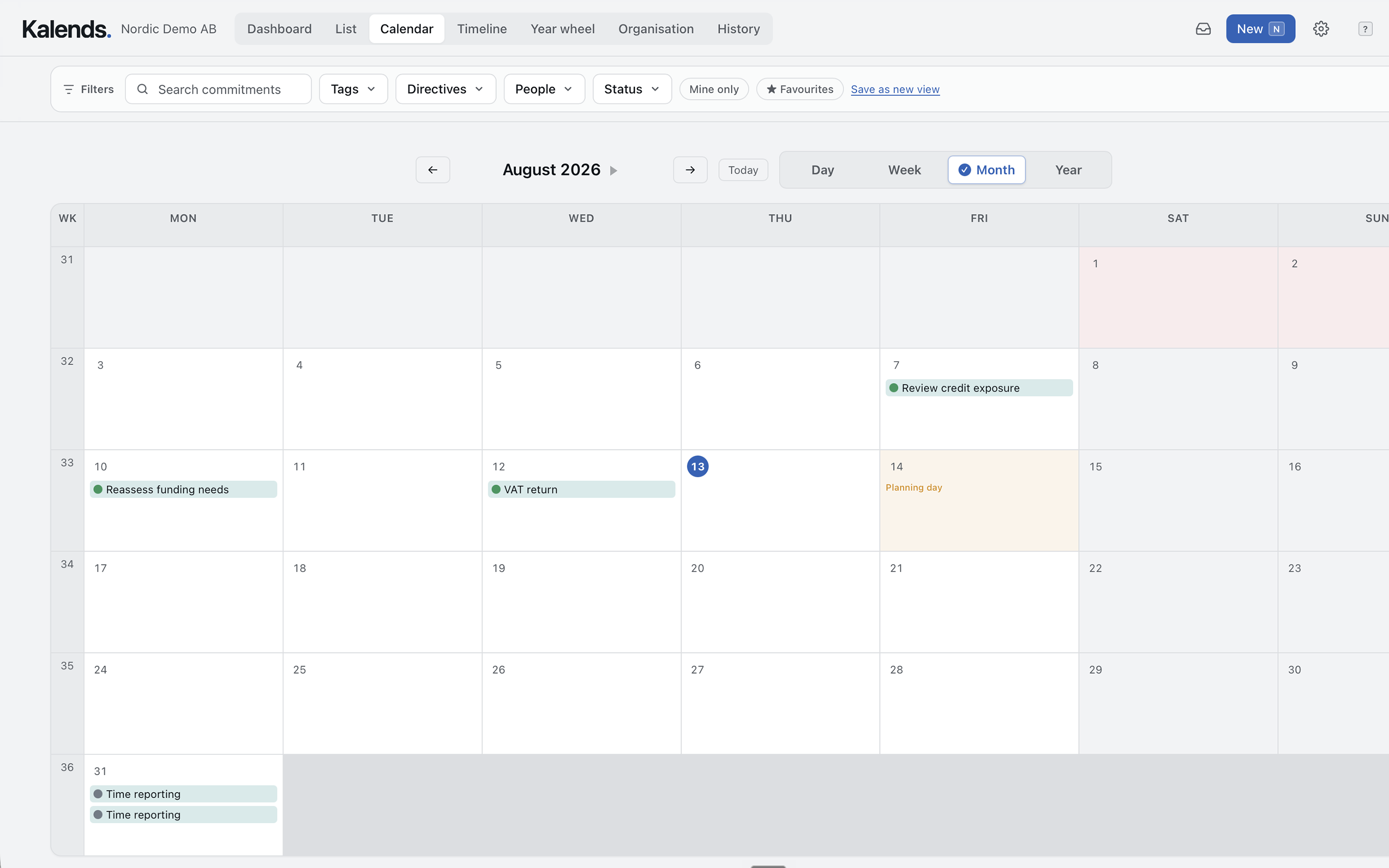
Day, week, month and year, with notices and tasks in the same view.
See what is overdue, due or done and filter by person or tag.
Follow the rhythm of recurring work week by week.
The whole year in one picture, ready to show management.
Key figures, year wheel and timeline on one page, with the work behind every figure.
Outside Kalends
Publish a read-only view on the intranet, in a presentation or on a screen in reception. The view fetches current information from Kalends automatically.
Embed the calendar so everyone sees the shared dates without signing in or getting them in their own calendar.
Download an editable PowerPoint slide with a snapshot and a link to the live view.
Show the live view in reception or around the office. It refreshes every 15 minutes, or less often if you prefer.
Published views are read-only and can be revoked. Restricted and confidential items are never shown.
Watch-only members see what a member sees and follow commitments, projects and goals. They cannot change anything or be responsible for anything, and you can have as many as you like on every plan.
Common questions
Cannot find the answer?
No. That is where you book meetings, invite attendees and see who is free. Kalends holds together what must be done, why and who owns it, so the meeting can move and people can change without losing the commitment or its history.
Yes. Add a conference, an index adjustment or the day new rules take effect as a notice. It appears in the team calendar without landing in everyone's personal calendar.
Yes. Add a single occurrence or the whole current series to Outlook, Google Calendar, Apple Calendar or another calendar. Kalends marks that the booking exists, and the history shows when it was added.
Yes. Create a personal, read-only calendar subscription for Outlook, Apple Calendar or Google Calendar and choose which parts of Kalends appear.
Yes. Publish a read-only calendar or timeline view and embed it on the intranet or show it on an information screen. The view refreshes automatically, every 15 minutes by default. You can also download an editable PowerPoint slide with a link to the live view.
Nothing for those who only need to see it. Watch-only members are free and unlimited on every plan. They see what a member sees, but cannot change anything or be responsible for anything.
Start with one team
Start with what everyone needs to know and the recurring work that must never depend on one person.
30 days free · Introductory price until year-end · Watch-only members always free